Checking Faxes
We have changed the way that Action Target sends and receives Faxes. We have consolidated our faxes to go through the HelloFax service. The faxes are then sent to 2 different Outlook groups depending on where they were sent to.
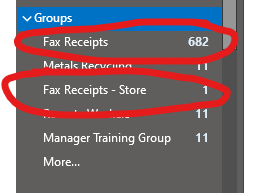
- Faxes to the main Action Target fax # of 801-377-8096 are sent to the “Fax Receipts” group.
- Faxes to the Store Fax numbers of 651-645-5360 and 763-746-5396 are sent to the “Fax Receipts – Store” group.
The roles who should have access to view Faxes are:
ATI Fax
- AP Manager
- AP Clerk
- AR Manager
- AR Clerk
- HR Manager
- CFO
- Contracts Manager
Store Fax
- AP Manager
- AP Clerk
- AR Manager
- AR Clerk
- Store Sales Manager
- Store Warehouse Manager
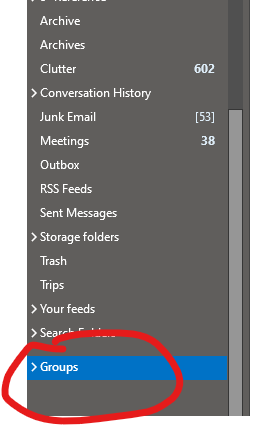
Only people who are added to the group can see those faxes. The groups show up in your Outlook under Groups (see below ).
For the Store, the faxes will no longer be sent to the printer in the office, they will only be visible in Outlook.
If you need to send a fax you will need to be added to HelloFax and have an account. We are limited to the # of accounts right now with HelloFax (unless we want to pay more), so the groups that can send faxes are: