Creating a Customer
1.We're Beforenot creatingable ato newcreate quotes or orders without an account to link them to, so it's important to set up customer accounts right.
The first step should be checking to see if an account verifyalready exists. Duplicates will make future orders significantly harder. Once you've confirmed that an existing account doesthere's not already exist.an Onceaccount youfor havethe confirmed you can create a new account.
2. To do socustomer, click the button directlynext to the rightsearch oficon. the magnifying account.
a.
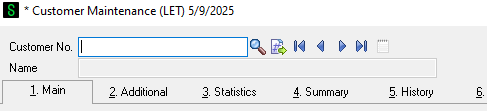
b. ThatThis will automatically assign aan unused customer number to the account.
c.
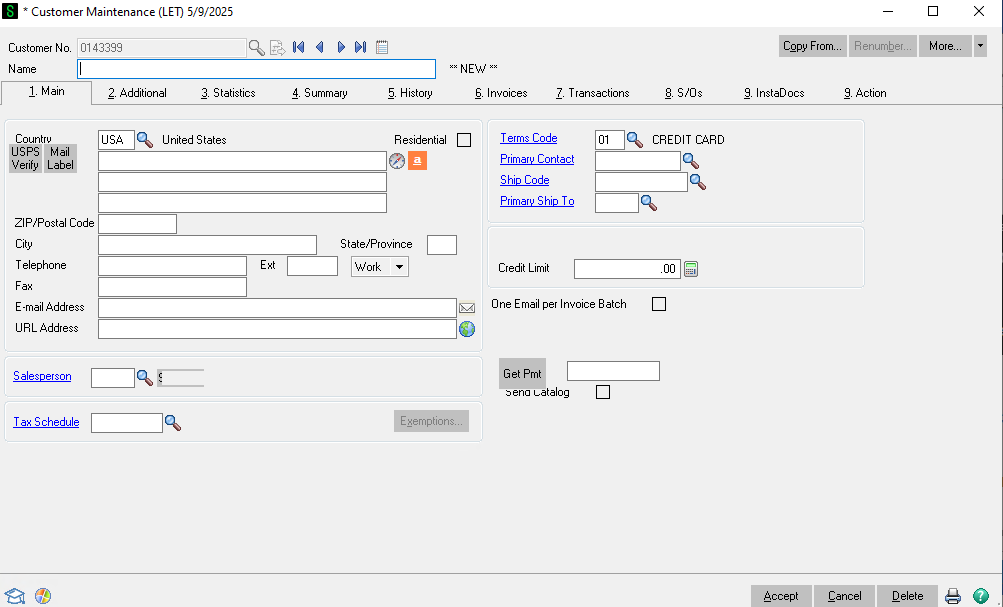
On 3.the Fillfirst outtab, requiredmost of the information onshould be pretty self explanatory. If the headercustomer tab.has
different a.addresses
for 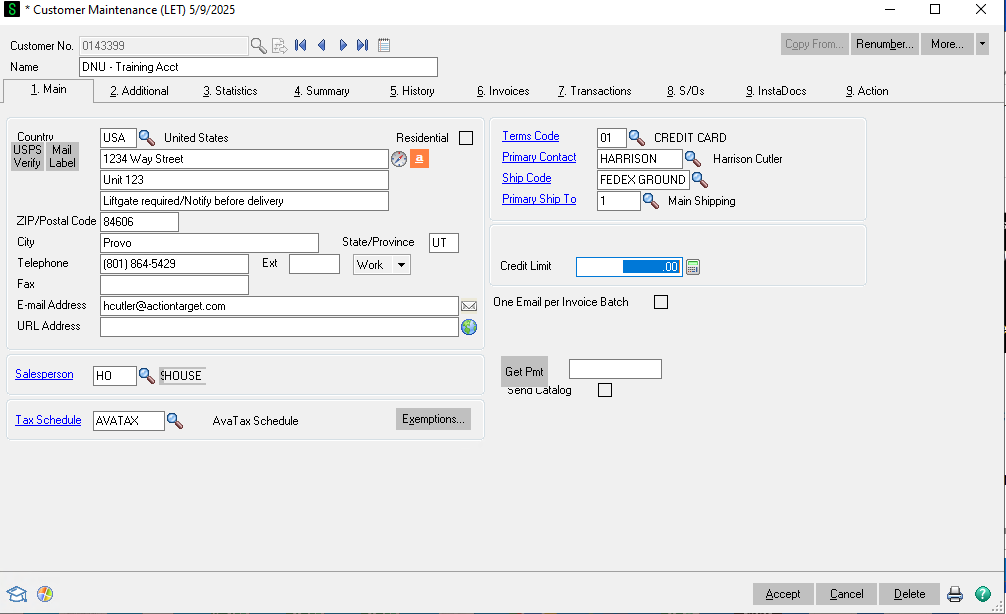
billing b.and Hereshipping, arelist thetheir requited fields
i. Name
1) Ensure it's all spelled out. Do not use short hand.
ii. Billingbilling address
1) If there are special shipping instructions that always have to be followed put that in on the 2nd or 3rd line like shown in the aboveaddress example.fields.
The iii.street Telephoneaddress numbershould
always iv.be Email
in 1)the Billingfirst email
line, a)and Multiplethe emailsother two lines can be
putused infor thisthe bycontact addingor special delivery details.
If the customer has multiple email addresses, they can be separated with a ;semicolon.
betweenBelow them.those
v.you'll need to put something for the Salesperson
and 1)Tax AlwaysSchedule. Salesperson should be HO
(House) vi.and Tax scheduleSchedule
should 1)always Alwaysbe AVATAXAVATAX.
2) If they are tax exemptOn the exmptionright numberside needsof the page, the Terms Code should automatically be set to be01 entered but for it to work it needs to also be done in Avalara.
vii. Terms code
1) Defaults to (Credit CardCard).
Below a)that, Iflist it's international customer change to Wire. Other than that do not change.
viii. Enterthe primary contact
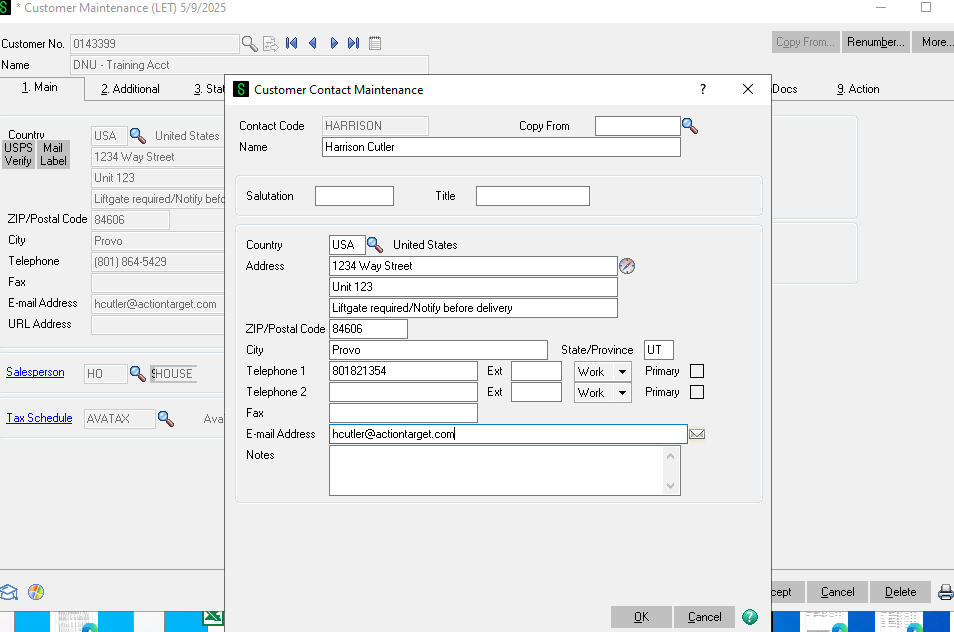
1)for Thethe personaccount's name. That will pull up a screen where you arecan workingenter with.more
of 2)their Enterdetails. byThis startingis helpful for reaching out to typethe customer in Namethe
future, 3)so Itas willmuch askinformation ifas thisyou can provide is
abest.
newBelow contact hit yes and it will takethat, you here:can
4)
ix. Now enteruse the shipPrimary code.Ship
To 1)box Alwaysto Selectset FedExup Groundmultiple unlessshipping APO address in which case select USPS.
x. Credit Limit
1) Do not change. That'saddresses for accounting.one
account. 4.This Nowis gomost useful for government or resale accounts where they may have several locations they have targets shipped to.
Once that's done, click over to the Additional TabTab.
a.there's
only 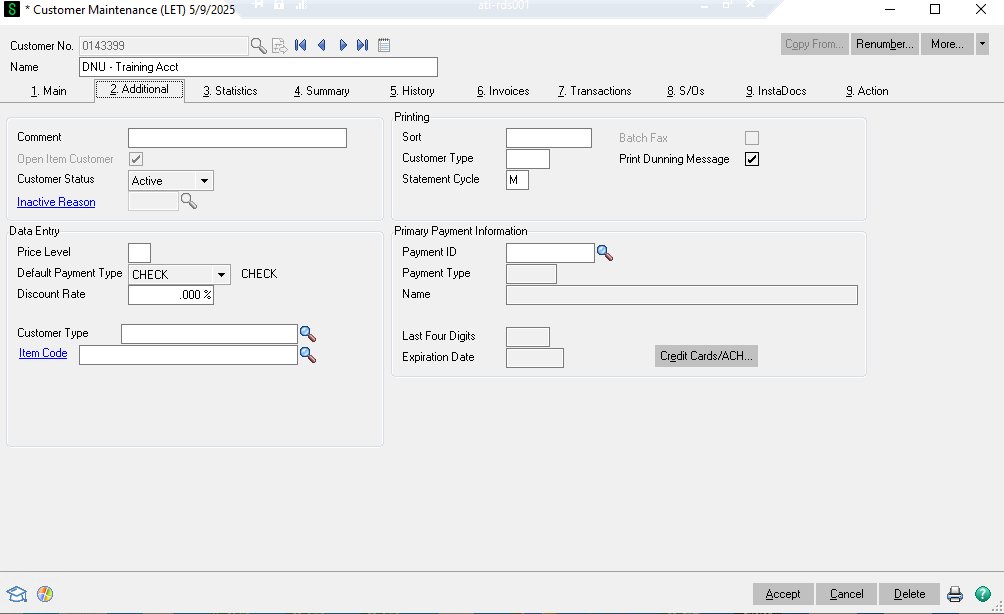
two b.things Enterwe informationneed
to i.look
at. 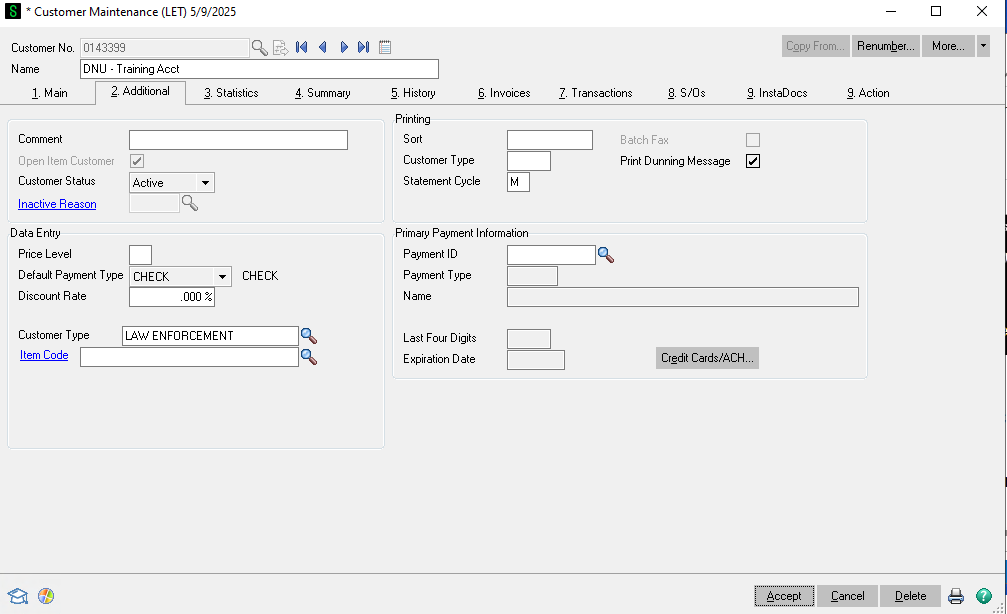
First, ii.if Onlythe customer is a reseller and has been approved for dealer pricing, list their Price Level in the box. Second, make sure you select the Customer Type
that best suits them.
The last thing to do is required.set
iii. If they are a dealer and they have filled outup the dealer agreement and it has been approved by your manager you'd enter a price code. The dealer agreement would be save under the Instadoc'customer's tab as well.
5. If they have a shipping account they always want us to ship on fill it in on the Action Tab. Also change the shipping method from FedEx to Customer Choice on the header tab.
a.
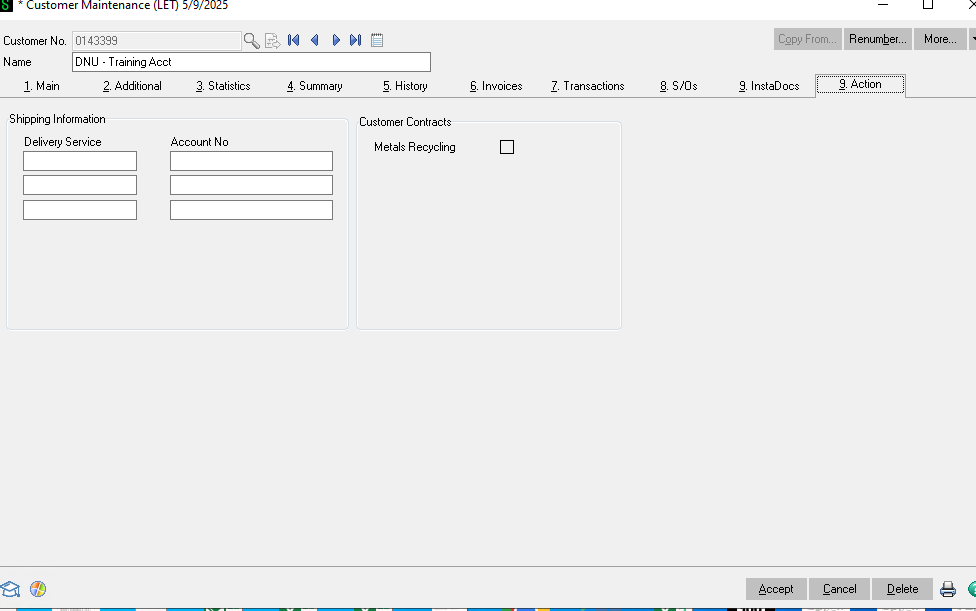
6. If there is any additonal notes that need to be included put it in as a MEMO.
a.
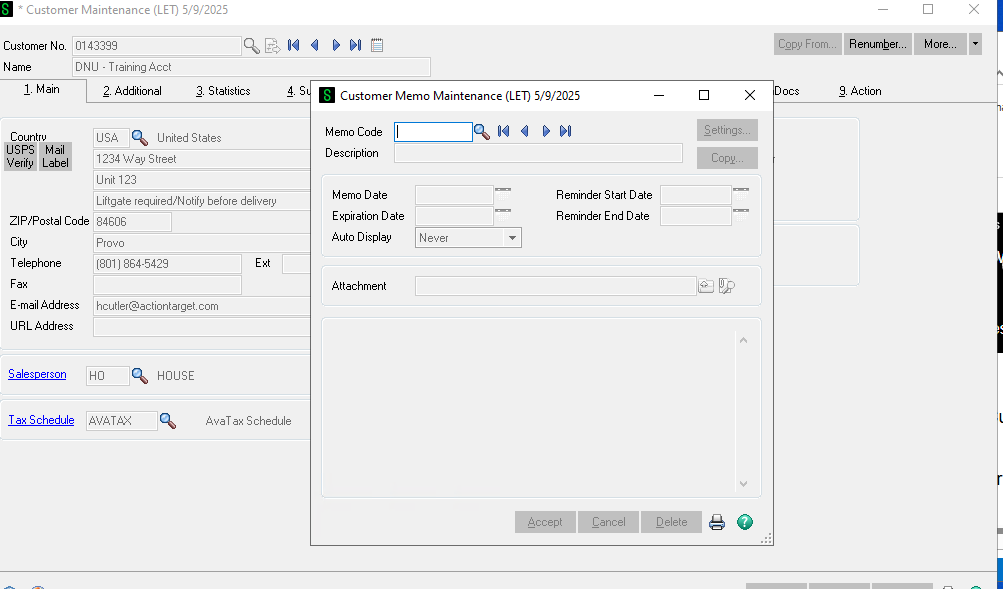
7. Hit accept to save and complete the customer account.
8. Make sure to let the customer know their account number.
9. If they have a tax exemption or dealer pricing level please also give them the instructions to link an online account to this account. If they make a new account they won't have their special pricing or tax exemption. WhicheverFor isthis, applicable.
a. Go to shop.actiontarget.com > Sign In > Create a new contact for your account (2nd option fromfollow the bottomTax ofExemptions the sign in pop up) > Enter your account number, zip code, and the security code > Complete. Doing this will link your online account to your existing account with your specific pricing and tax exemption if applicable.
guide.
