
Looking up/Finding a Customer
1. Open Customer Maintenance
2. At the top of the screen you will have the option to type in the customer number, lookup (magnifying glass), or create a new account (button that looks like a paper with a # and arrow directly to the right of the magnifying glass).
a. 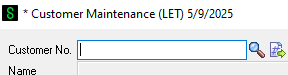
3. To find or look up a customer account double click on the magnifying glass. That will bring you to a customer list.
a.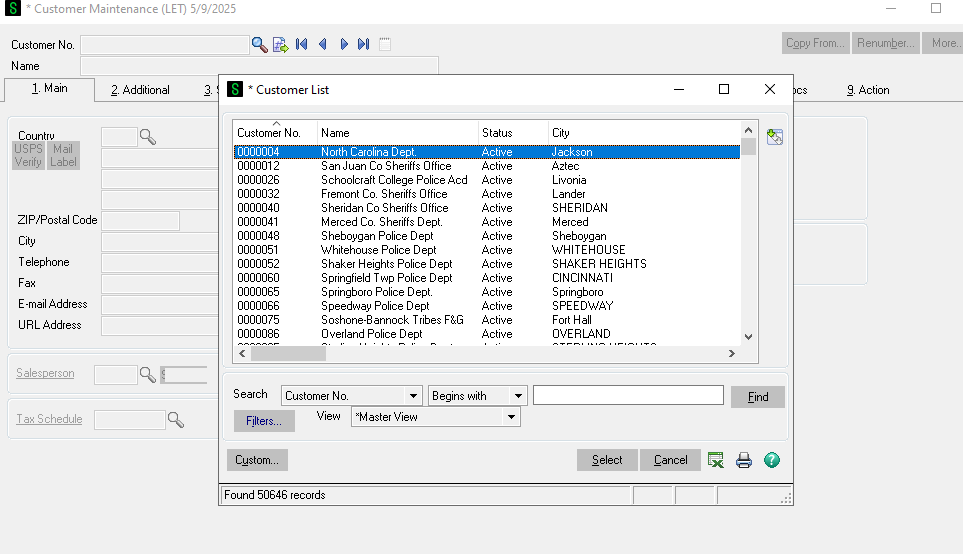
4. Near the bottom there are a few ways to search. It's important to try multiple ways before creating a new account to reduce the amount of duplicate accounts and not create work unnecessarily. We have over 50,000 accounts so it is more likely than not there will be an existing account for the customer you are speaking to.
5. Start by trying to search the customer's bill to zip code. For example if we are looking for Sams Sporting Equipment we can not be sure how the account name was spelled. So using the bill to zip code is more likely to pull up the account.
a.
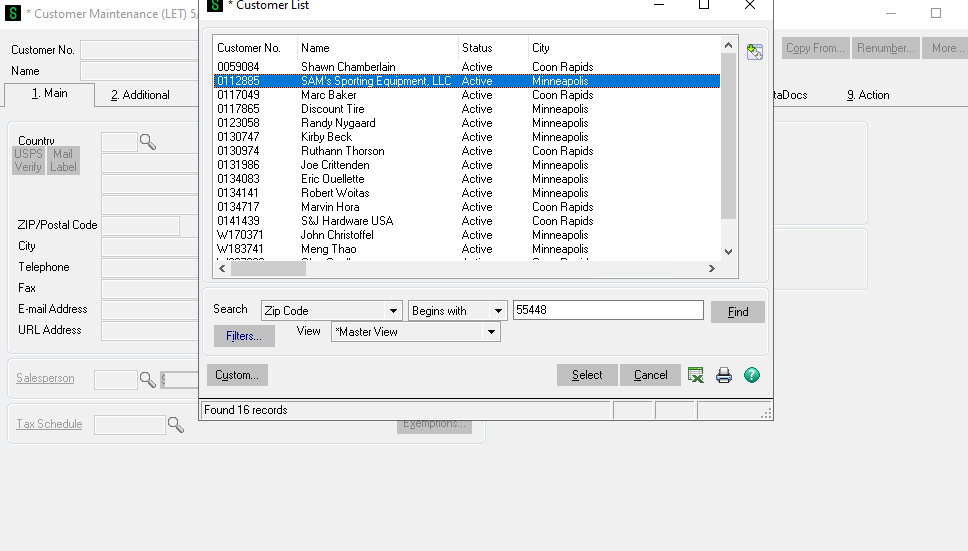
b. Note that the actual customer account name is SAM'S. If we would of search by name we might of missed the existing account.
c. Normally you can get the bill to zip code from the customers email signiture or by asking for it over the phone. If that's not possible or if you have another means of looking up the account that is fine.
6. If you do not have or the zip code the customer gave you is not pulling up an account you can try searching by the email address.
a. Search by the domain name.
b. To find LAPD's account I can't be sure the person I'm talking to is going to have the same email address as the person on the account. So I'll search by @LAPD. Make sure to change the search field to Email Address and Contains or Ends. If it's left as begins with it will not pull up any results.
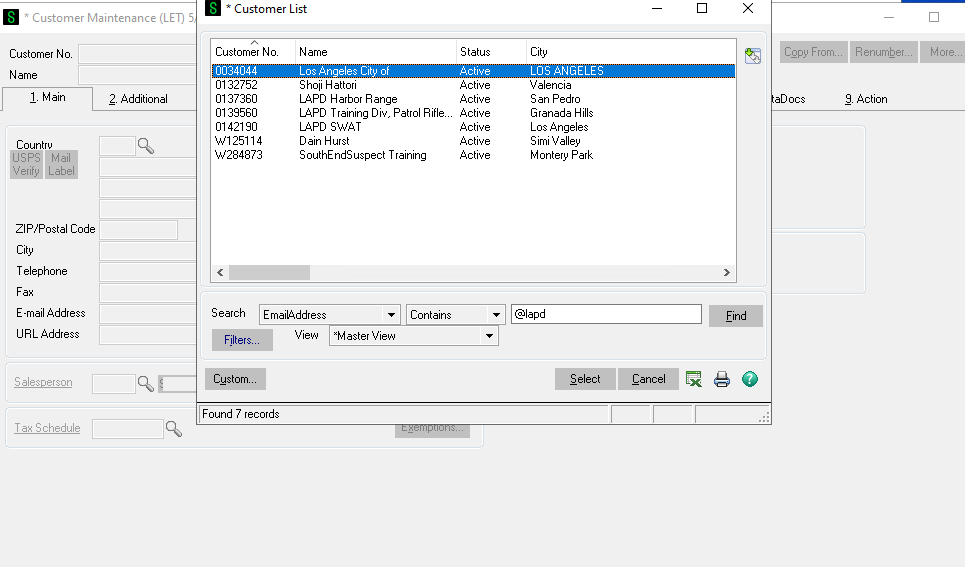
c.
d. From here I now need to narrow down which account to select. Understanding who you are speaking with is important. There are mulitple accounts for LAPD. Is this for their Swat Team, training division, etc. You can also look at the date of last activety to help determine the correct account to use.
e.
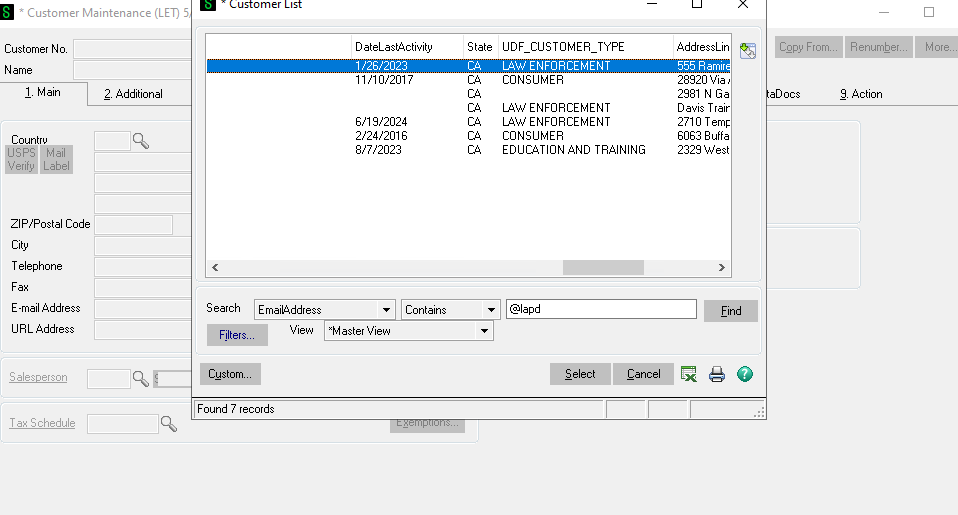
f. If you are still unsure you can look through the accounts and see which has had the most recent and the most orders under invoices.
g. You can also ask a coworker or manager for help.
h. It's important orders go on the correct account otherwise there will be issues with invoicing. I'd rather you ask for help than just assume.
i. You can search by Email, name, customer number, address line 1, plus a few more options. This is just the most effective way to start.