Looking up/Finding a Customer
1.Finding Openexisting Customercustomer Maintenance
2.is Atextremely important, and helps us avoid having multiple accounts for the
topsame customer. Sage is quite picky about how you search, so searching by company/department name is often not the best way to find accounts. For example, the account for the Provo Police Department could be saved under the following names:- Provo Police Department- Provo PD- Provo Police Dept- Provo City Police Department- City of
theProvo- screenCity of Provo Police DepartmentSage's search will only search for exact terms, so if you
willdon't haveknow theexactly optionwhat toname typean inaccount theis customerunder number,it lookupwon't (magnifyingcome glass),up. orLuckily, createthere's details that are always consistent like address, zip code, and email domain. If you can't find an account by name, try searching by billing zip code, then email domain, then street address.
## Searching by ZIP Code
To search by a newcustomer's accountzip (button that looks like a paper with a # and arrow directly to the right of the magnifying glass).
a. 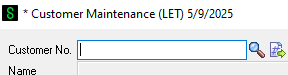
3. To find or look up a customer account doublecode, click on the magnifyingsearch glass.icon That will bring younext to athe customerCustomer list.No.
field a.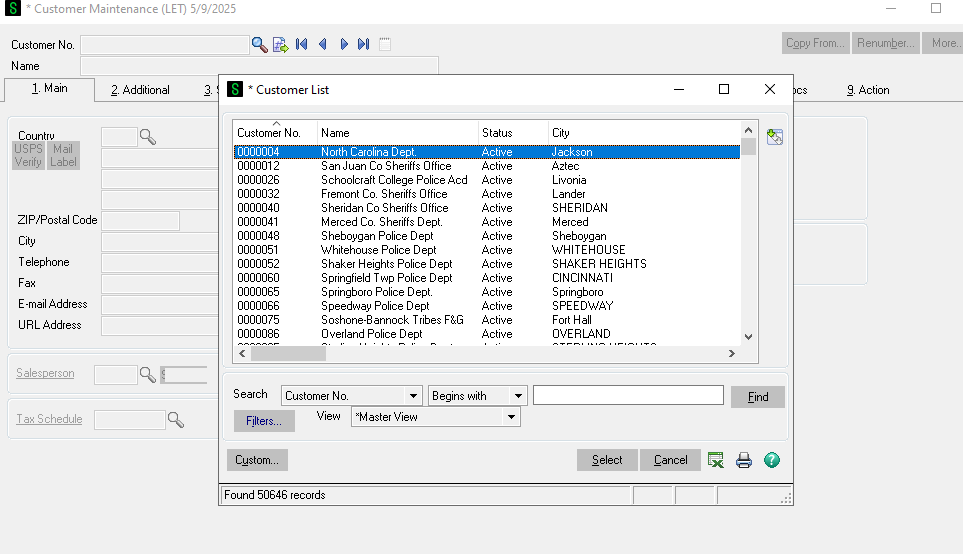
4.Customer NearMaintenance
On the bottom there are a few ways to search. It's important to try multiple ways before creating a new account to reduce the amount of duplicate accounts and not create work unnecessarily. We have over 50,000 accounts so it is more likely than not there will be an existing account for the customer you are speaking to.
5. Start by trying to search the customer's bill to zip code. For example if we are looking for Sams Sporting Equipment we can not be sure how the account name was spelled. So using the bill to zip code is more likely to pull up the account.
a.
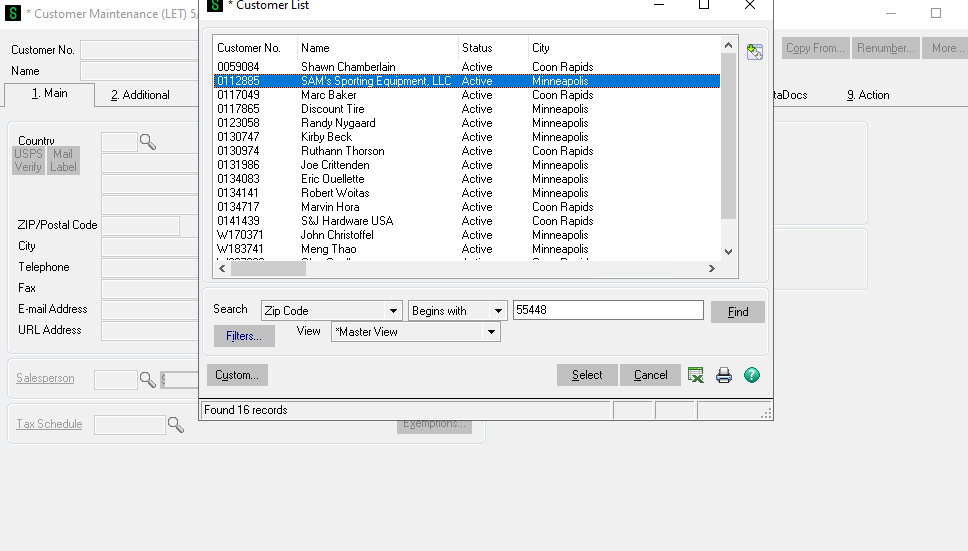
b. Notewindow that thecomes actual customer account name is SAM'S. If we would of search by name we might of missed the existing account.
c. Normally you can get the bill to zip code from the customers email signiture or by asking for it over the phone. If that's not possible or if you have another means of looking up the account that is fine.
6. If you do not have or the zip code the customer gave you is not pulling up an account you can try searching by the email address.
a. Search by the domain name.
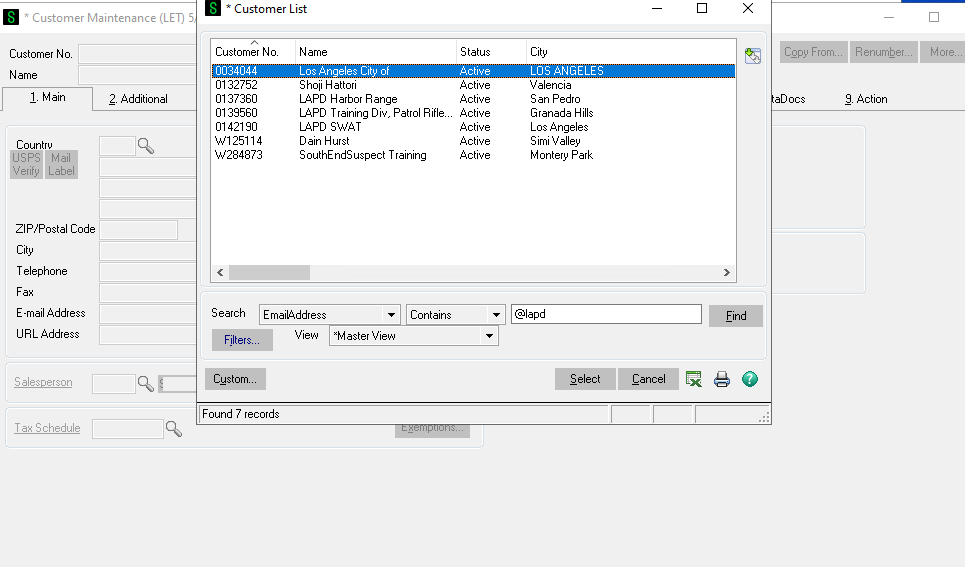
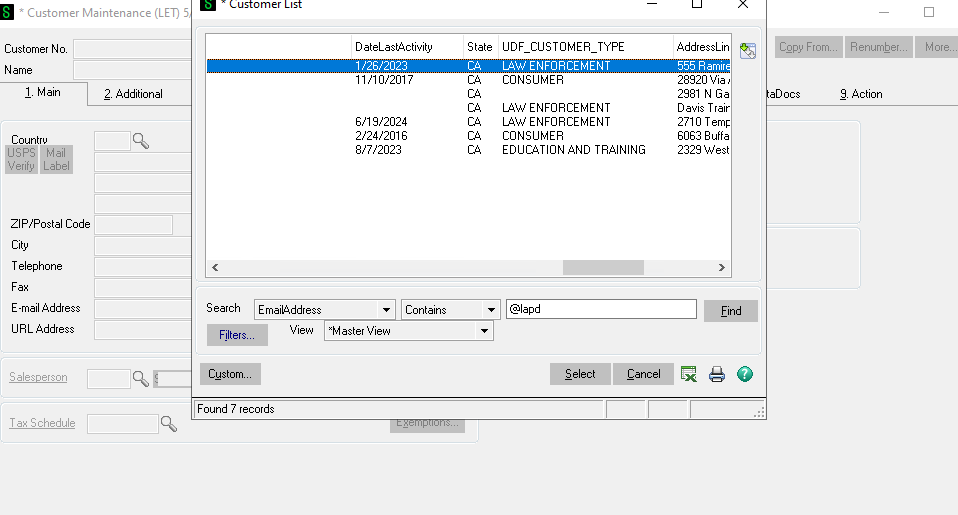
b. To find LAPD's account I can't be sure the person I'm talking to is going to have the same email address as the person on the account. So I'll search by @LAPD. Make sure toup, change the search field to
Email"Zip AddressCode" and
Containspunch orin Ends.the customer's zip code. The address listed should be their billing address, so if they have a different address for shipping make sure to clarify that.
## Searching by Email Domain
If zip code doesn't work, try searching by their email domain. Change the search field to "Email Address" and change the search filter to "Ends with". Put in everything after the "@" symbol in the customer's email address, and hit Find.
# What if there are multiple accounts?
Sometimes multiple accounts will appear for the same department/company. At this point, you'll have to figure out which one to use. If it'sany leftare as beginsmarked with itDNU, willignore notthose. pullIf upyou anyscroll results.horizontally,
see c.some
of d.the Fromkey heredetails Iof nowthe needaccount. Try to
narrowfind down whichthe account
with the most details matching those of the customer you're talking to.
If multiple seem right, scroll all the way to select.the Understandingright whoand youfind arethe speakingone withthat iswas important.used Theremost are mulitple accounts for LAPD. Is this for their Swat Team, training division, etc.recently. You can also lookcheck atwithin the date of last activety to help determine the correct account to use.
e.
f. If you are still unsure you can look through the accounts and see whichif hasthey've hadgot theall mosttheir recentdetails andcorrect, theor mostif ordersthey're underset invoices.up
g. You can also askwith a coworkertax orexemption managerif for help.
h. It's important orders go on the correct account otherwise there will be issues with invoicing. I'd rather you ask for help than just assume.
i. You can search by Email, name, customer number, address line 1, plus a few more options. This is just the most effective way to start.
applicable.
