
Pricing
This is to describe how Sage deals with Pricing.
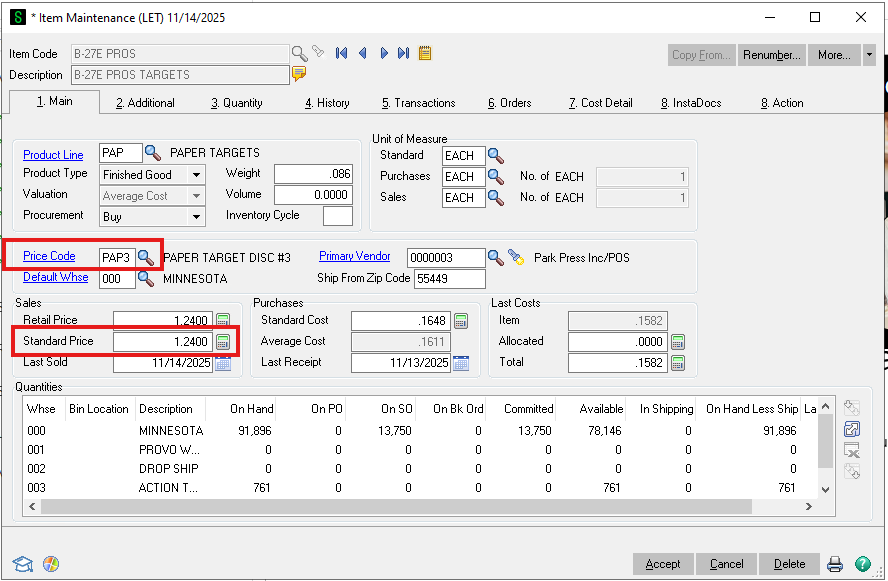
Starting with the item. Each item has a Price Code and a Standard Price. The below screenshot is from "Item Maintenance"
Then we have the "Price Code Maintenance" item, which is also in the Inventory Management Module in Sage.
Quantity Discounts
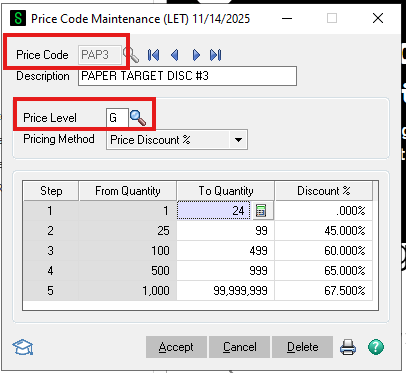
For Quantity discounts the Price Level that we use is G. You can then see that there are 5 levels of qty discounts and then the % discount from Standard Price of the Item. Below is the illustration for the Price Code of PAP3
Dealer Discounts
There are currently 3 Price Levels for dealers. They are simply 1, 2, and 3 or blank.
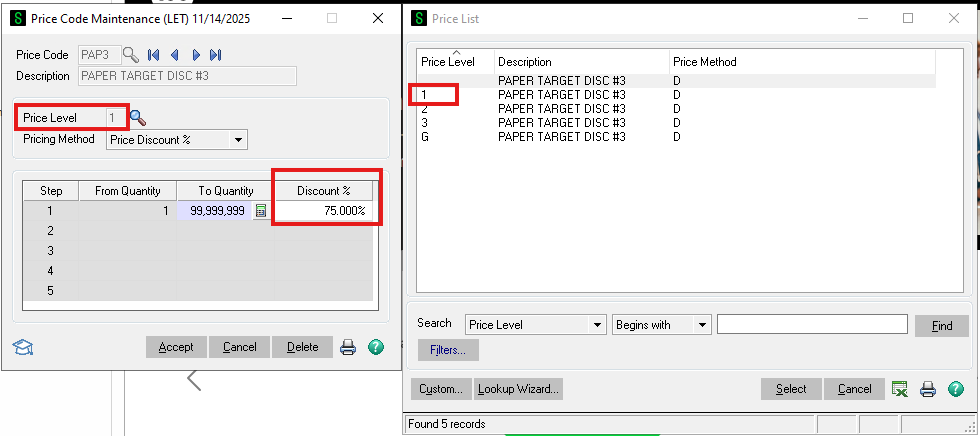
Customers can be assigned a Price Level in "Customer Maintenance". Again, it can be 1-3 or also blank. If blank then they don't get any discount.
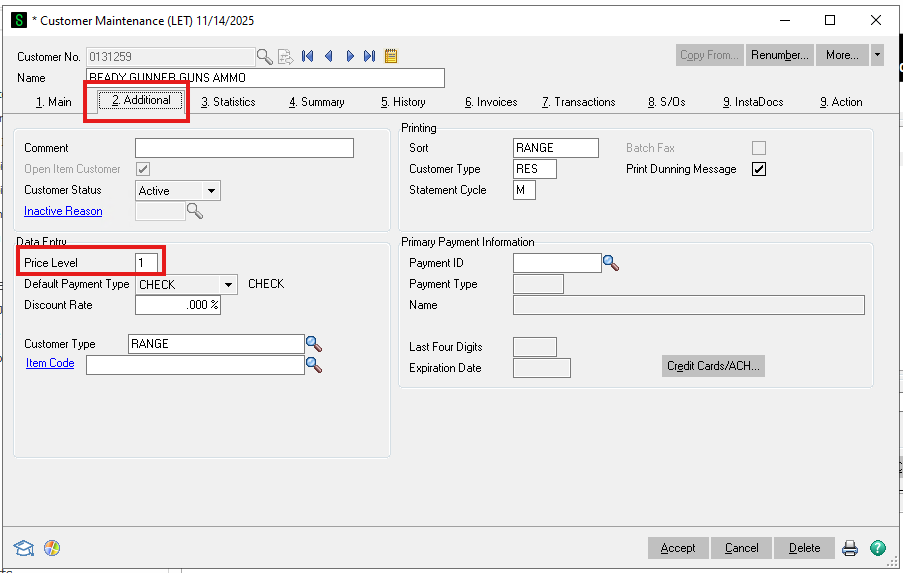
In this example the Customer "Ready Gunner" has Price Level 1 and will get 75% off the Standard Price of any products with Price Code of PAP3, which in this example is the "B-27E PROS" paper target.
If a customer is not assigned a Price Level, then they will pay the Standard Price for the product if they buy less than 25. Otherwise they will get the Quantity Discount Pricing for all PAP3 products.
Below are the database tables and the connections between them.
