Turn a Quote into a Sales Order

Customers place order with us over the phone, via email, and online. Some customers use Purchase Orders (PO's), some pay by credit card, others use Metals Credit (Also referred to as brass credit), and others will have to pay with a wire before the order is placed (International orders. Sometimes they will place orders without there ever being a quote and other times they are placing an order based off a quote.
While the overall process is simple it's important to pay attention to the details. Failing to do so can cause delays in customer orders, excess shipping costs, returns, and overall a bad customer experience. The specific steps to follow are below. If a situation isn't covered here please refer to your manager.
- The customer will contact you via phone or email saying they want to place an order.
- If they are placing an order over the phone and it's not based on a quote (for example a consumer calling in) follow the quote process to create the order. Take a credit card for payment.
- Note there are additional steps the below process will cover.
- Customer sends a Purchase Order via email
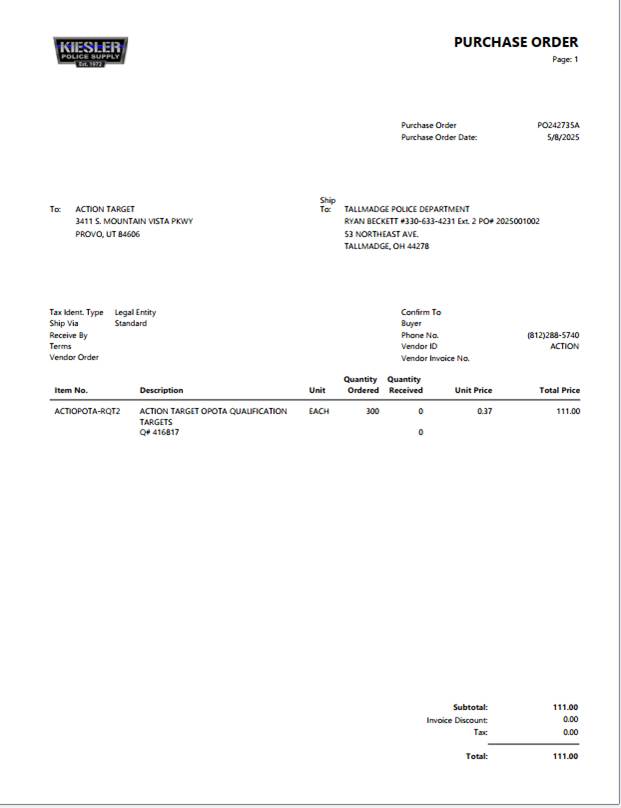
- We need to verify that this order has not been placed.
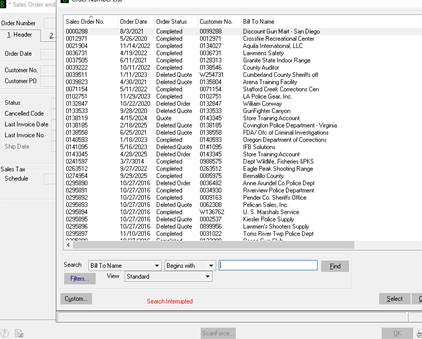
- Open Sales Order and Quote History Inquiry
- Search by Customer PO
- If there's nothing there search by customer name
- If nothing pulls up you can enter the order.
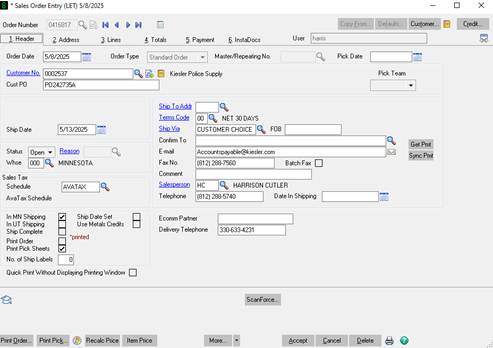
- Open sales Order Entry
- If there is an existing quote like there is with this PO we will turn the quote into a sales order. If there is not that is okay we still will need to verify all of the same information. It's important to do your best to try and identify if there is an existing quote and turn it into a sales order if there is.
- On the purchase order this customer mentions the quote.
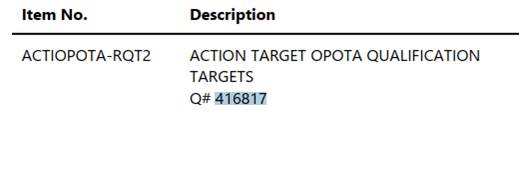
- Pull up the quote number in Sales Order Entry to pull it up.
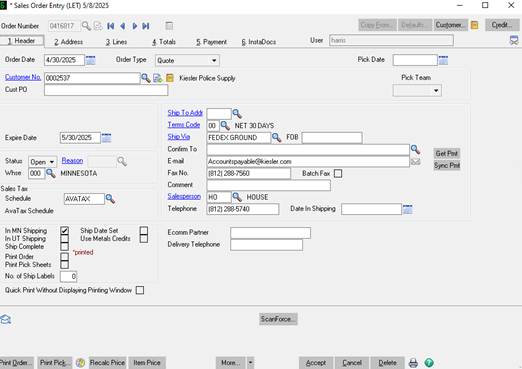
- Change the order type to Standard Order
- Enter the PO number
- Make sure the IN MN or IN UT shipping is selected depending on the product.
- Enter the delivery phone number
-
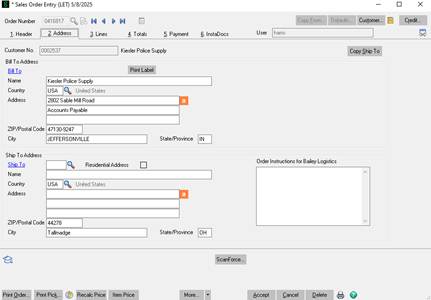
- Then go to the address tab.
- Ensure the bill to address matches what is on the Purchase Order. If not verify you are entering this order on the correct account. If you are then it will need to be updated in customer maintenance then on the Sales order.
- Enter the ship to address exactly as it is on the Purchase order.
- There will be multiple address on PO'S. Make sure you are putting in the one that say ship to or deliver to address. If you have questions or do not know ask your manager or verify with the customer.
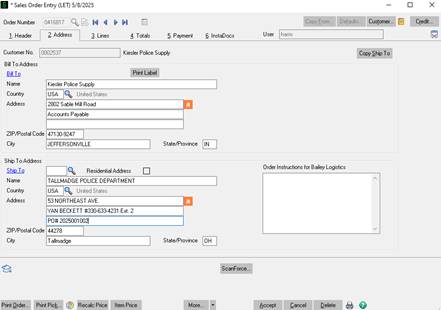
- On the 2nd and/or the 3rd line it's important to make sure you get a name and phone number as a point of contact for delivery. This is often not included on PO'S and you will have to ask the customer for it. At the same time make sure you ask if they need a liftgate at delivery or if they have any other specific shipping requitements. If they do those will be entered in the line items.
- The ship to address is super important. We need to get this right. If we do not it's expensive to have it picked back up and shipped to the incorrect customer. Plus it creates a bad customer experience.
- Next go to the line items tab.
- Verify the Item Code, qty, unit price, and product total match what's on the customers PO.
- Note we are doing prices at 4 decimal points. Some customers can only do 2. So it will be rounded up or down.
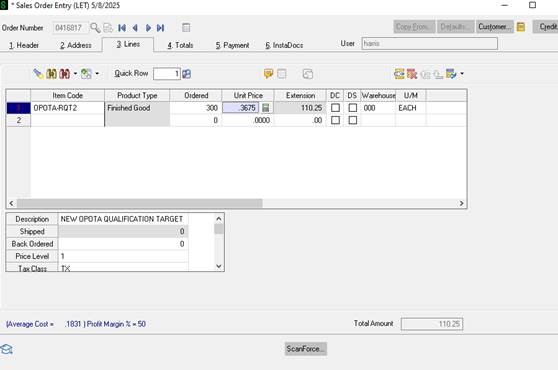
- If the total price of the Sales Order exceeds what's on the customers PO and the only difference is the 3rd and 4th digit make it match what's on their PO.
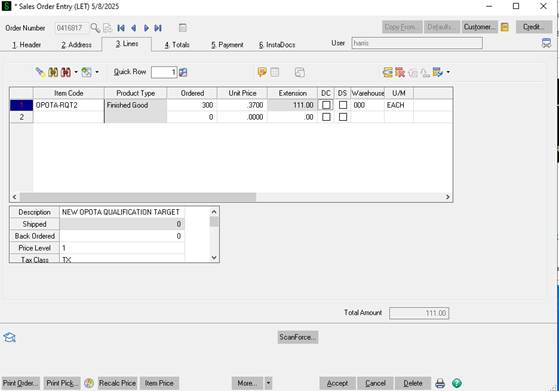
- Note we are doing prices at 4 decimal points. Some customers can only do 2. So it will be rounded up or down.
- At this point verify we have enough of all of the items in stock. You do this by clicking on the ordered cell.
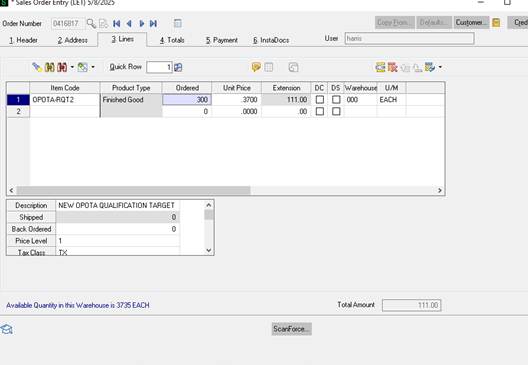
- You can see in the bottom left we have over 3,000 available. So this order would be considered shippable. And the estimated lead time would be 4 - 5 business days. If there was not enough in stock right click on the item and click on item inquire.
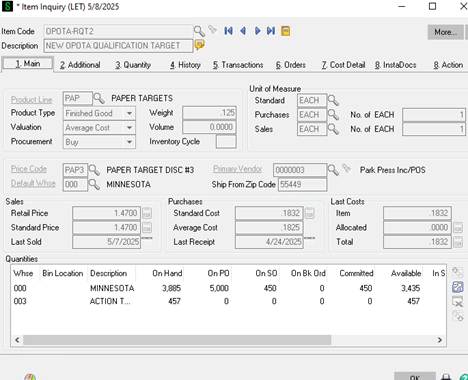
- Doing so will take you here:
- At the bottom of this screen you can see we have 3885 on hand. That number is not what is available to ship it's what is on the shelve. If you take on hand minus On SO (SALES ORDER) that will give you the qty available we could ship on this order.
- If we do not have enough available to ship to determine the lead time go to the tab labeled as Orders (number 6)
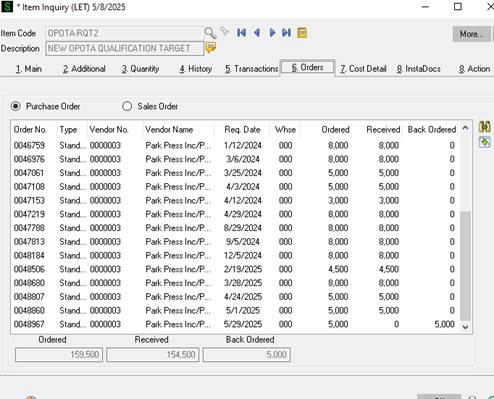
- Here we can see all of the purchase orders we have issued for this Item code.
- The Req Date is when we expect to have more of these. If the amount on order will cover what you need for the order then add 3 - 5 business days to that day to get to the estimated ship date.
- Note this has to be done for every product on the order. Take the item with the furthest out data that is not in stock/currently fulfillable to get to the estimated ship date.
- If the order is not in stock/fulfillable go back to the Sales Order Header tab
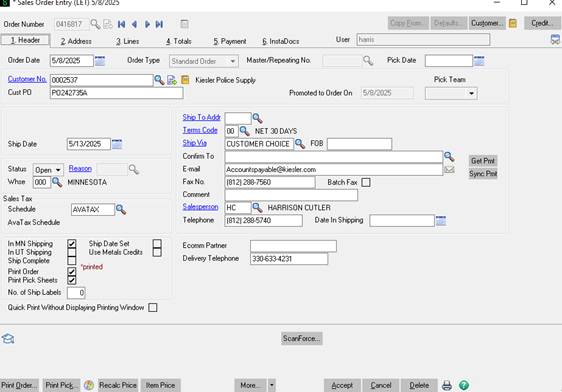
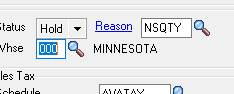
- Change the status to hold and select the reason as insufficient qty.
- Doing this will prevent the Pick Sheet from being printed at the warehouse until there is stock.
- We do not want it to print as it will waste the warehouses teams time they could better spend on fulfilling orders or it will lead to excess shipping costs due to fulfilling a partial order, backordering, then shipping the rest of the order when it comes into stock. When we only calculated shipping as 1 shipment.
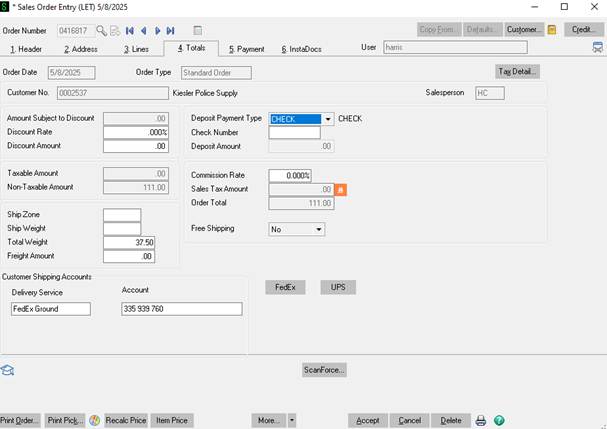
- Next go to the totals tab.
- Ensure the Order total matches the total on the PO.
- If it does not determine why. Most commonly the PO will be missing shipping or not have taxes when our quote does. If that is the case ask the customer if they can send an updated PO with shipping or ask for and apply their tax exemption before placing the order so taxes come off.
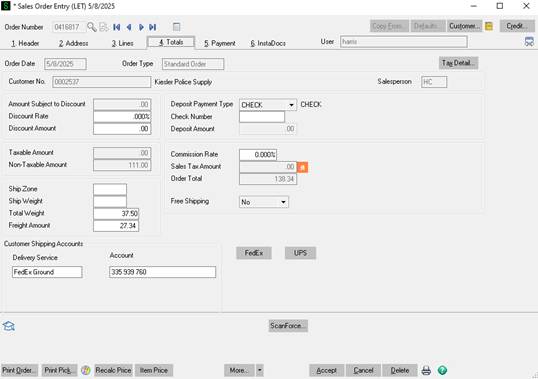
- Notice in this example the totals do not match. Their PO is for $111.00 and our total is $138.34.
- We can easily determine that is from them not having shipping.
- With this specific customer that is because we ship on their FedEx Account.
- If we are shipping on the customer's account 0 out shipping cost. Put the delivery service and account number as seen above on the totals tab. If we always ship on their account there will be a note and the same information under customer maintenance. Also ensure the ship to method is changed to customer choice on the main Header tab.
- If it does not determine why. Most commonly the PO will be missing shipping or not have taxes when our quote does. If that is the case ask the customer if they can send an updated PO with shipping or ask for and apply their tax exemption before placing the order so taxes come off.
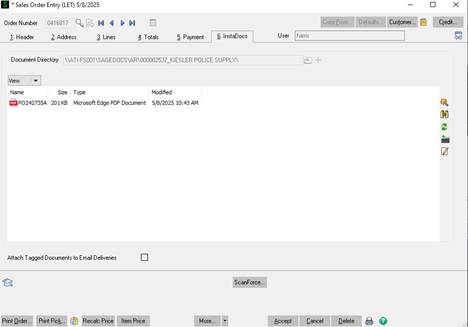
- If the order is placed with a PO save the PURCHASE ORDER AS PO(THEIR PO NUMBER) - PO 242735A in this case.
- Drag and drop a copy of the PO into Instadocs.
- Now hit accept to place the order.
- Email the customer something like: Hi Name, Thank you for the order: Estimated ship date: 5/30/25 based on what you determined the lead time to be.