
Changing your SAGE Password
🔁 Step-by-Step Instructions
1. Login to Sage
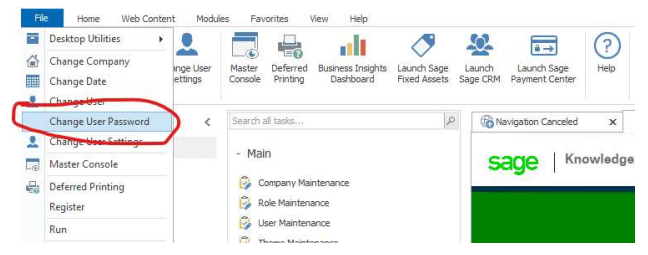
2. Click on "File" located in the top left corner

3. Click on "Change User Password"
4. Enter the current password and then your new password. Then click on "OK".
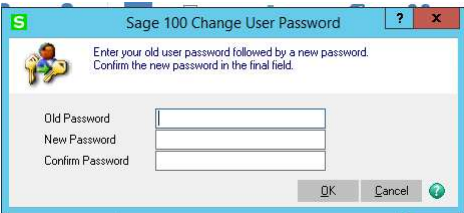
You have successfully changed your password
📅 Last reviewed:
2025-09-24
Author:Tanner Bench
Related Tags:How-To: