
Overview of Customer Accounts
Header
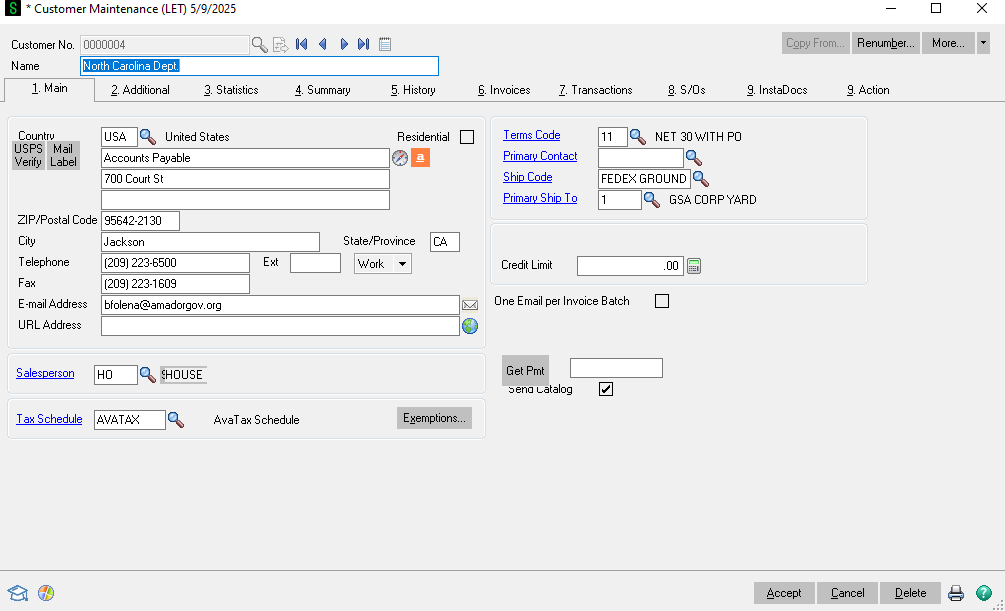
Under the header tab you can see:
• Customer Name
• Customer Number
• Country
• Billing Address
• Telephone number
• Email address
• Salesperson
• Tax schedule
• Terms code - payment terms.
• Primary contact
• Ship code - primary shipping method
• Primary ship to address
• Credit limit
Additional
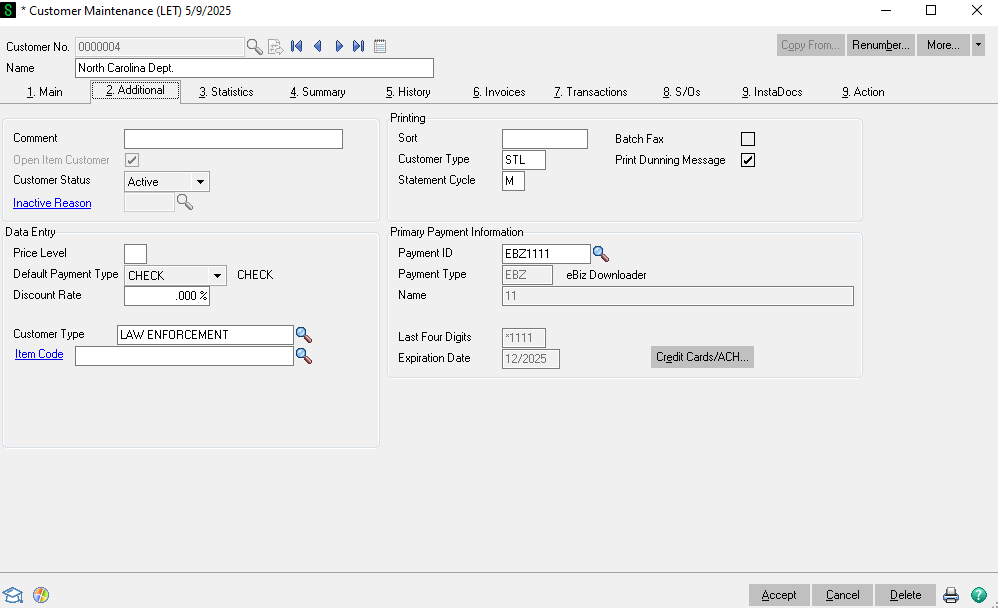
Under the additional tab the important info is:
• Price level
○ Should be blank unless they are a reseller or distributor
○ If they are a reseller you will see a 1, 2, or 3. That will give the customer special reseller pricing that will automatically pull up on sales orders.
• Customer type
• Primary credit card on file
○ Note these are encrypted. You can only see the card type and last 4.
Statistics
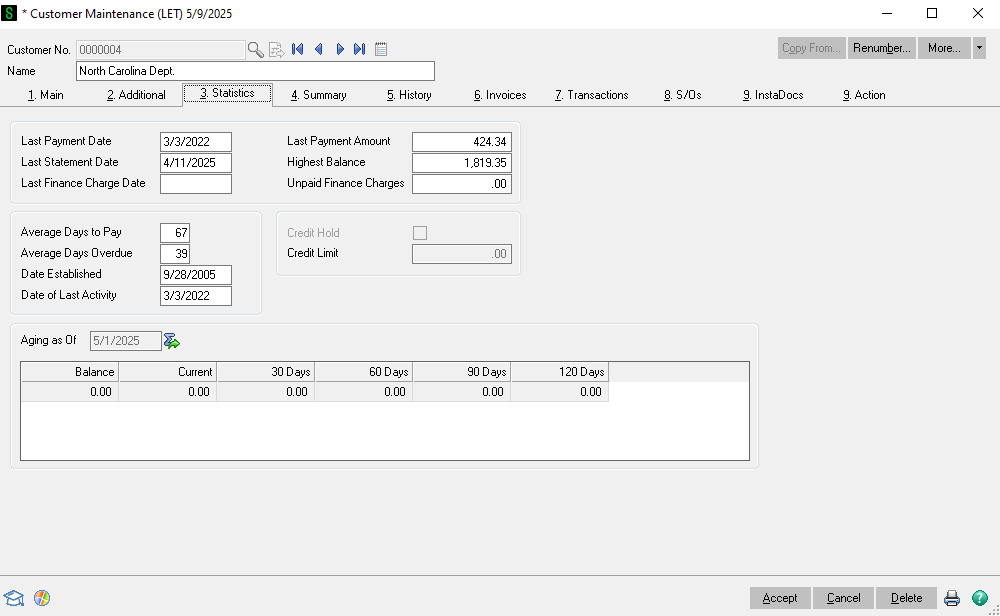
Under the statistics you can see:
• Payment statistics
○ Last payment
○ Last payment date
○ Average days to pay
○ Highest balance
• At the bottom you can see how much the customer owes. If they have a credit like brass credit it will show as a negative balance. They can use that negative balance towards their orders.
History
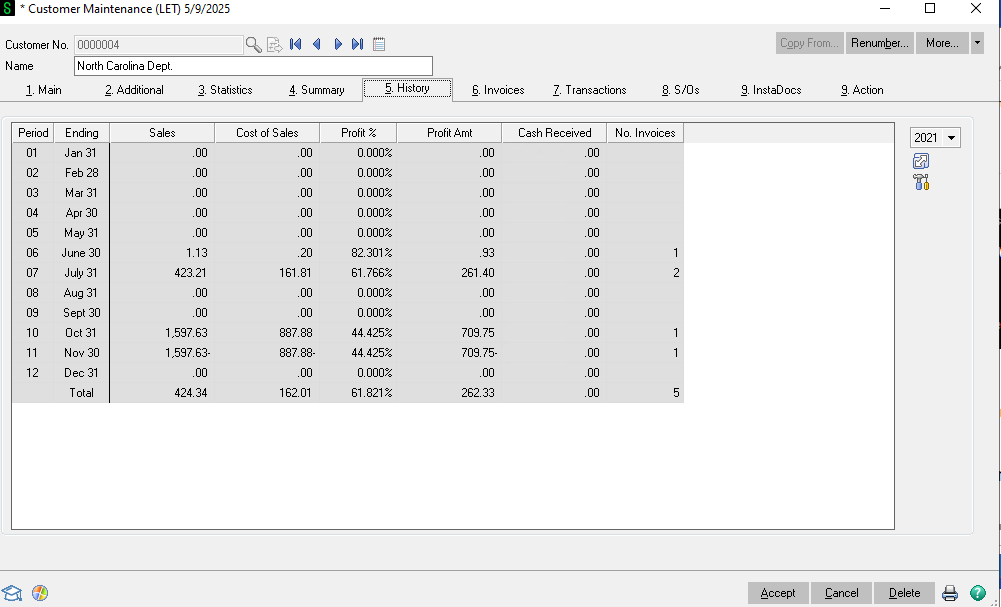
Under History you can see the sales and gross profit by month. This is internal information only. On the right hand side of the screen you can change the year you are viewing.
Invoices
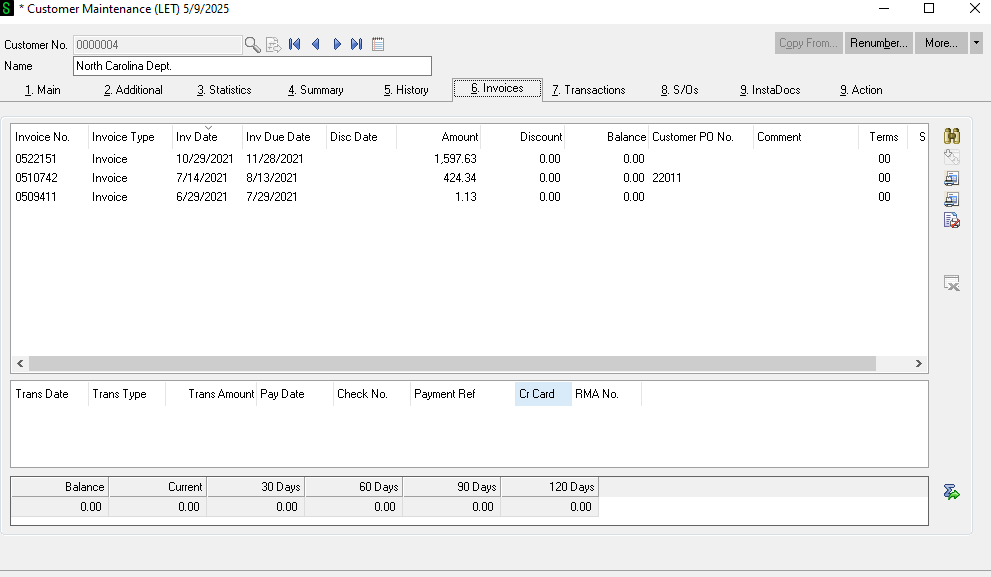
Under invoices you can see all of their invoices the amount and the balance. If there is a balance that means they still owe on that invoice. If you double click on the invoice you can go into the invoice.
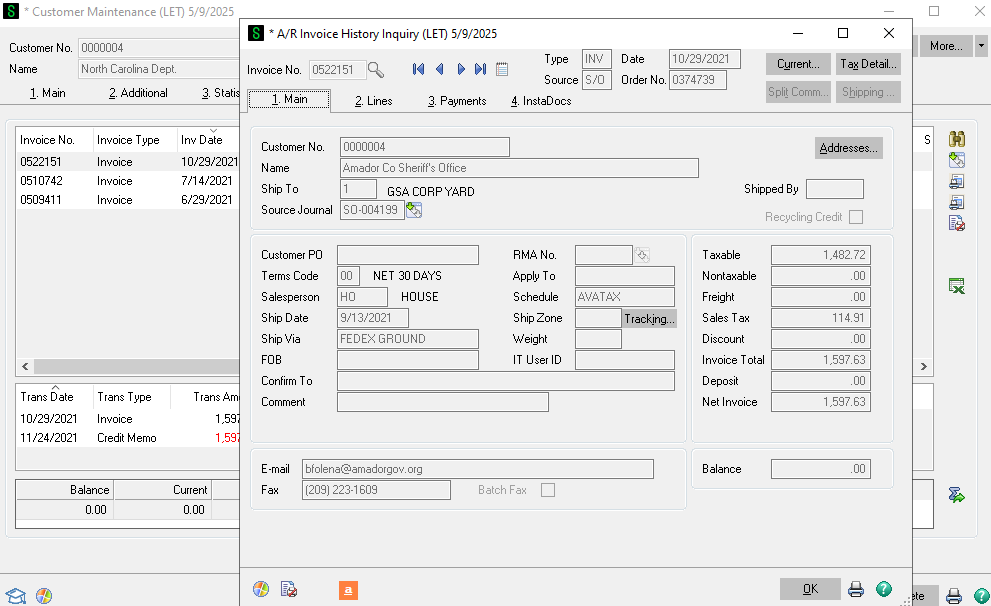
From here you can view the invoice and print a copy to a PDF to send to the customer.
S/O's
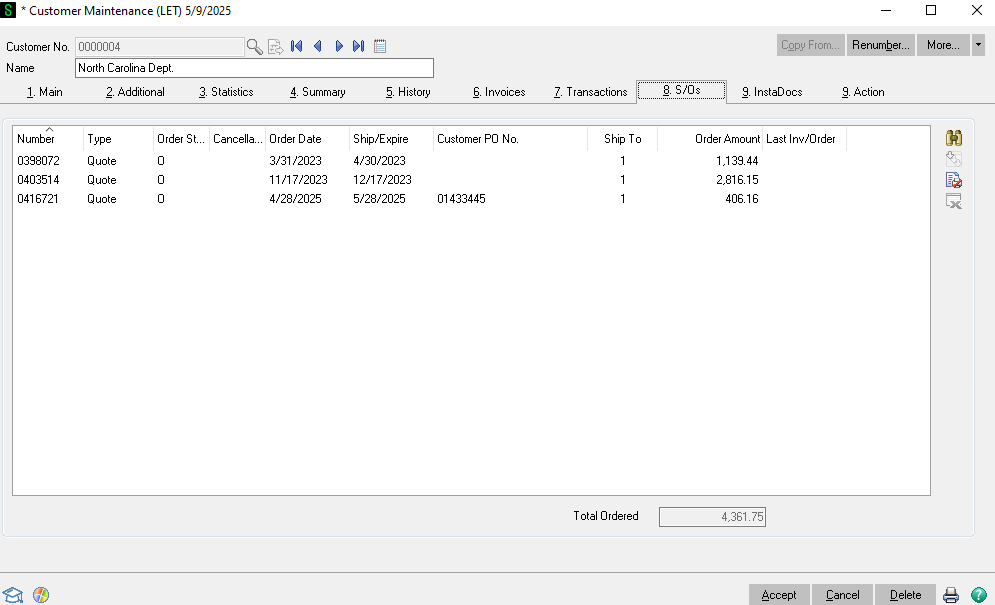
S/O's shows all of the open quotes and orders that have not shipped yet. You can double click onto them to go into them to edit and/or save a copy as a PDF to send to the customer.
Instadoc's
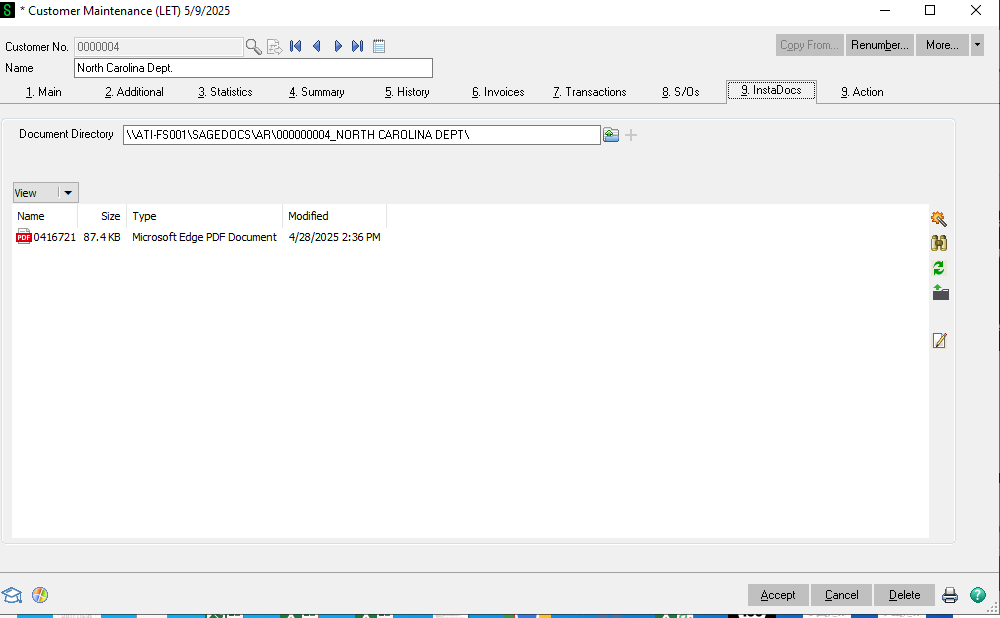
Instadocs will have copies of all of the customers purchase orders, packing lists, dealer agreements, etc. This was recently started so there will not be as much as there will be in the future. If you double click on the document you can look at it.
Action
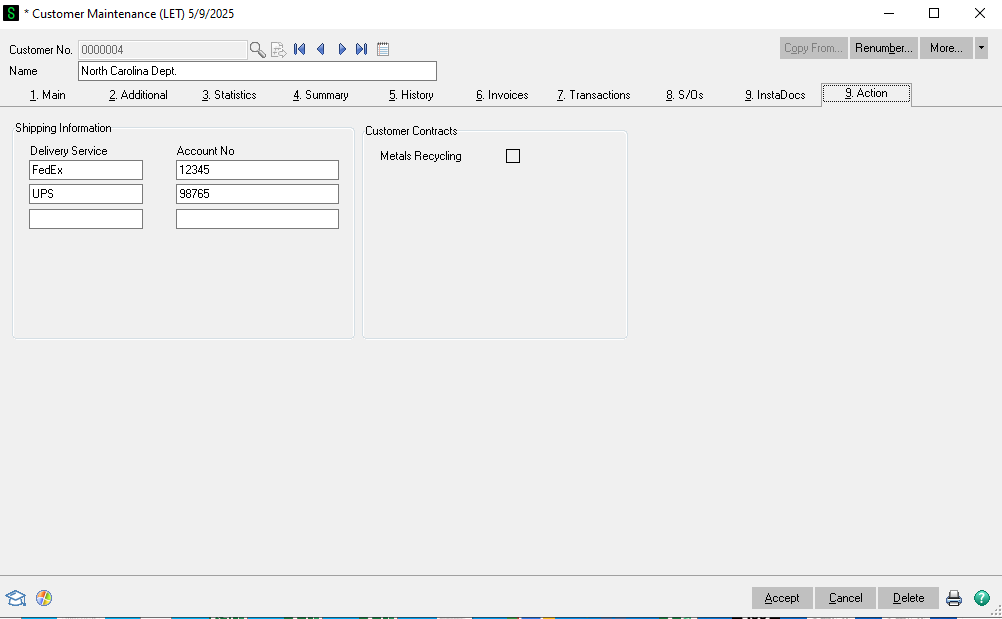
The Action tab will show the customers shipping account. These automatically go onto the customers sales orders. If the shipping method is Customer Choice on the sales order this will be the account the order ships on.
No Comments